
Tap Rate Me
Check the outfit before you walk out.
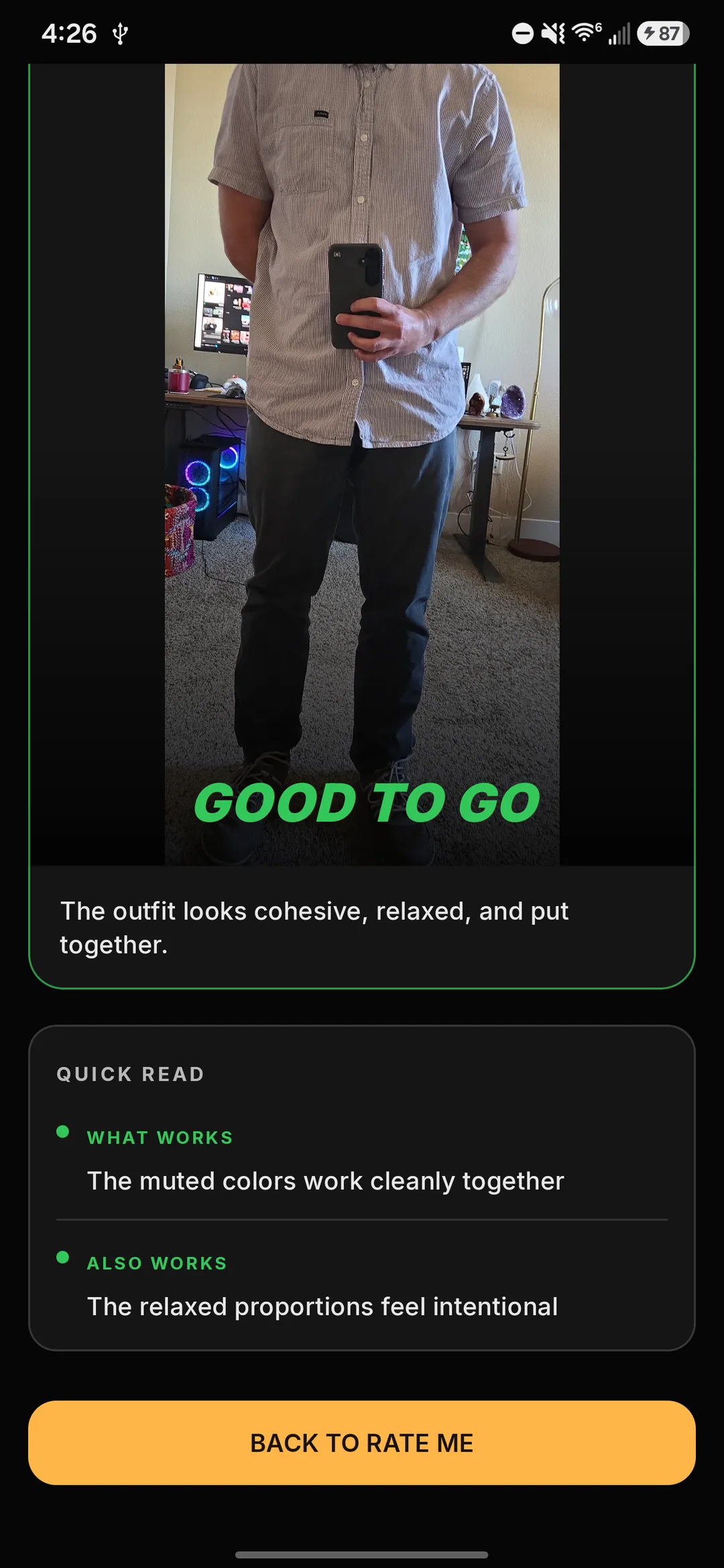
Open Rate Me and take or choose a clear full-outfit mirror photo. CRISP gives you a beta second opinion—GOOD TO GO or RETHINK—with a short reason in plain language.
Real Rate Me result
Limited Android beta · Free early access for men
Put it on. Take it off. Try something else. CRISP ends that loop—it picks from your clean clothes, can factor in the weather, and tells you why it works. You walk out sure.
Allow up to 24 hours for approval. Wait for your approval email before downloading.
Two fields, ten seconds · Free · U.S. · Android 8.0+ · Personal reply. Prefer email? hello@crisp-labs.ai
Tap Situations
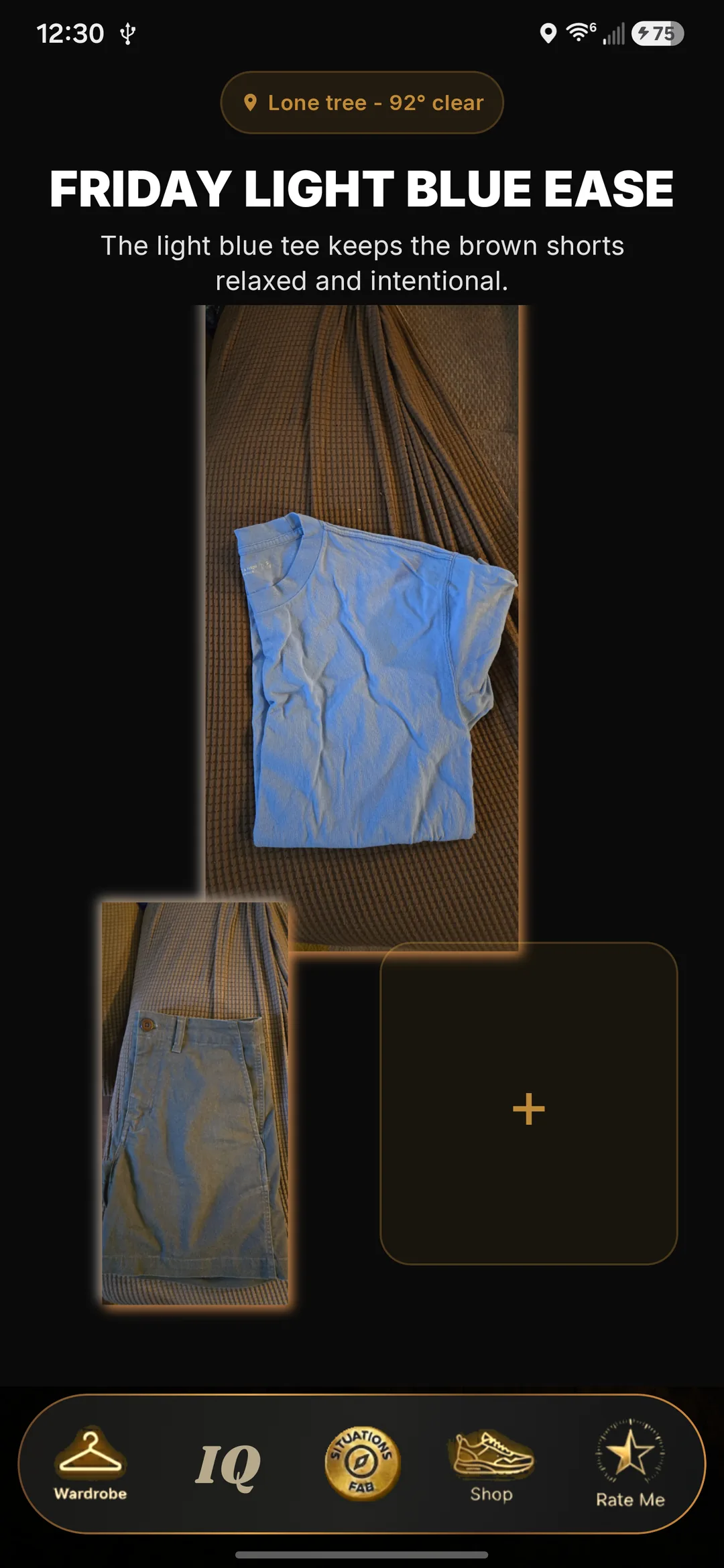
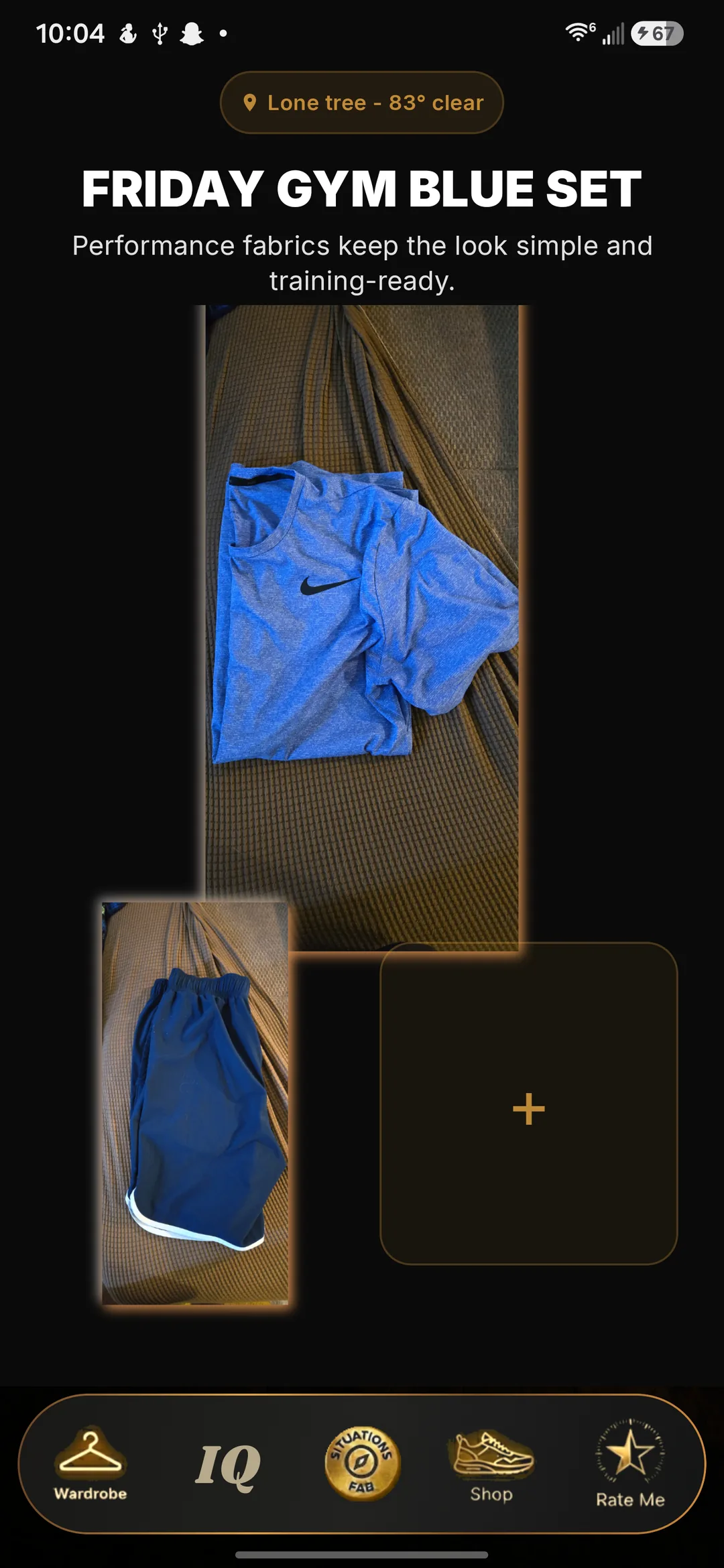
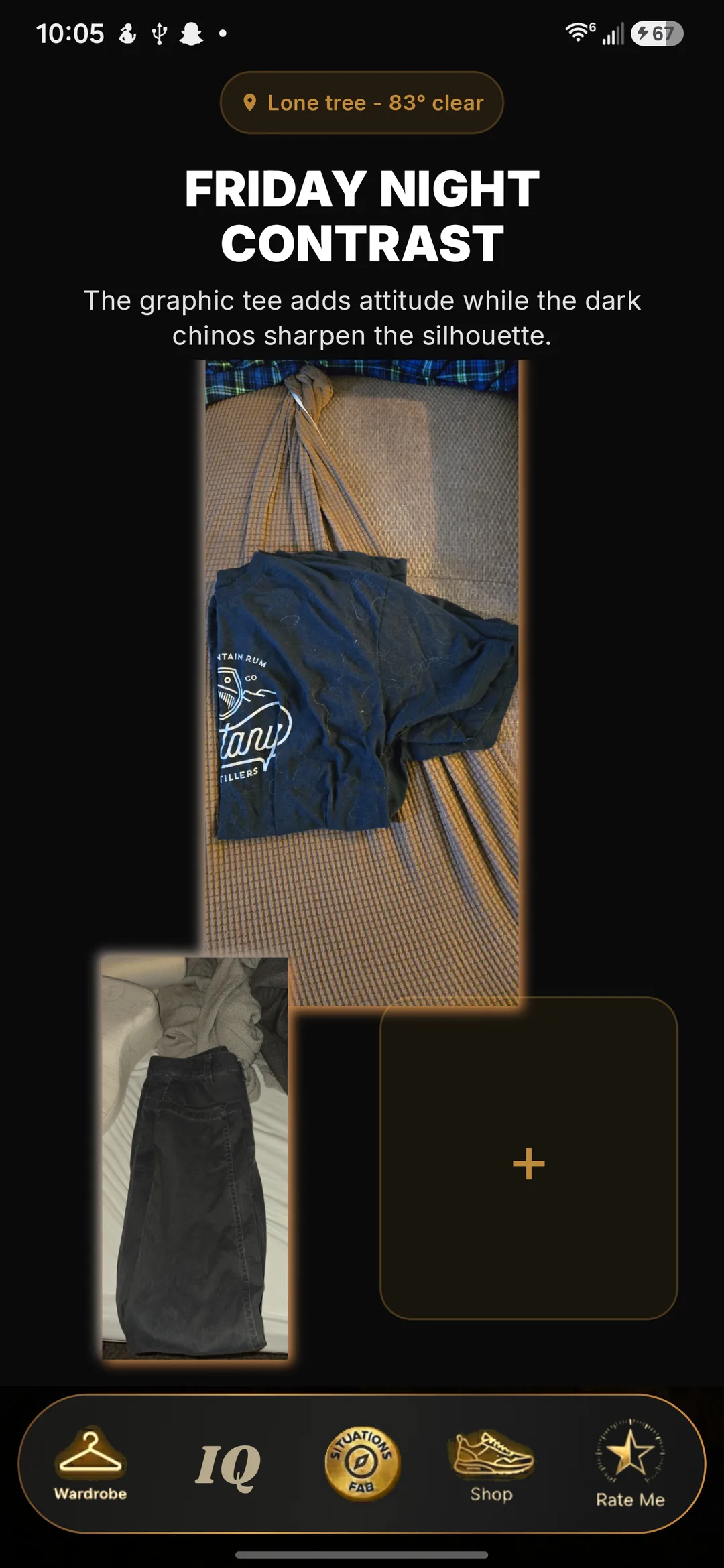
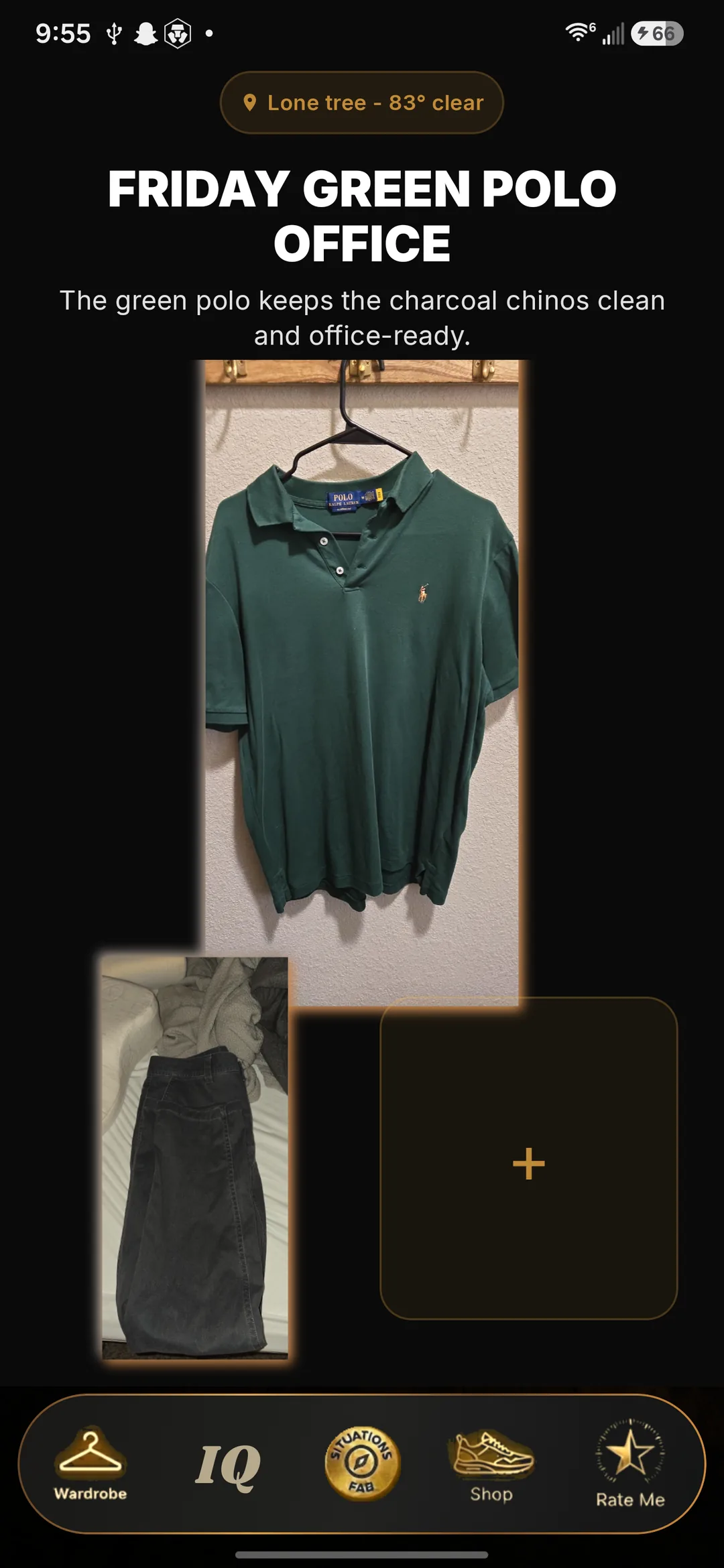
Open Situations and pick where you're going. Here are four real answers from one beta closet, each with a plain-language reason.
Friday green polo officeThe green polo keeps the charcoal chinos clean and office-ready.
Friday light blue easeThe light blue tee keeps the brown shorts relaxed and intentional.
Friday gym blue setPerformance fabrics keep the look simple and training-ready.
Friday night contrastThe graphic tee adds attitude while the dark chinos sharpen the silhouette.
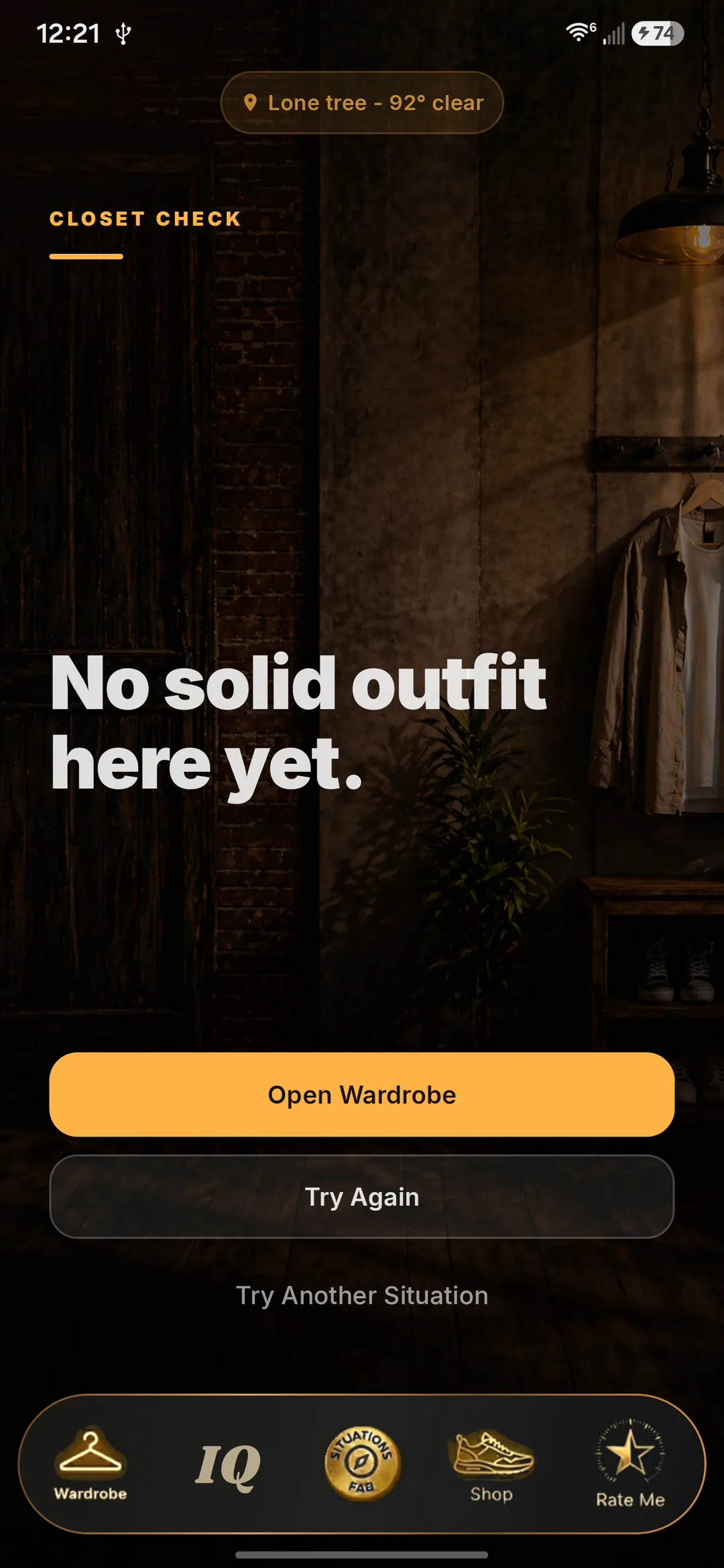
And when nothing works
Same closet, 92° afternoon, office situation: CRISP said no rather than guessing. A straight answer is part of the product.
Tap Wardrobe
Open Wardrobe and photograph a piece. CRISP suggests the details; you give them a quick check and save.
Shoot it where it lives—on the bed, the couch, or the hanger. No blank wall or staging needed.
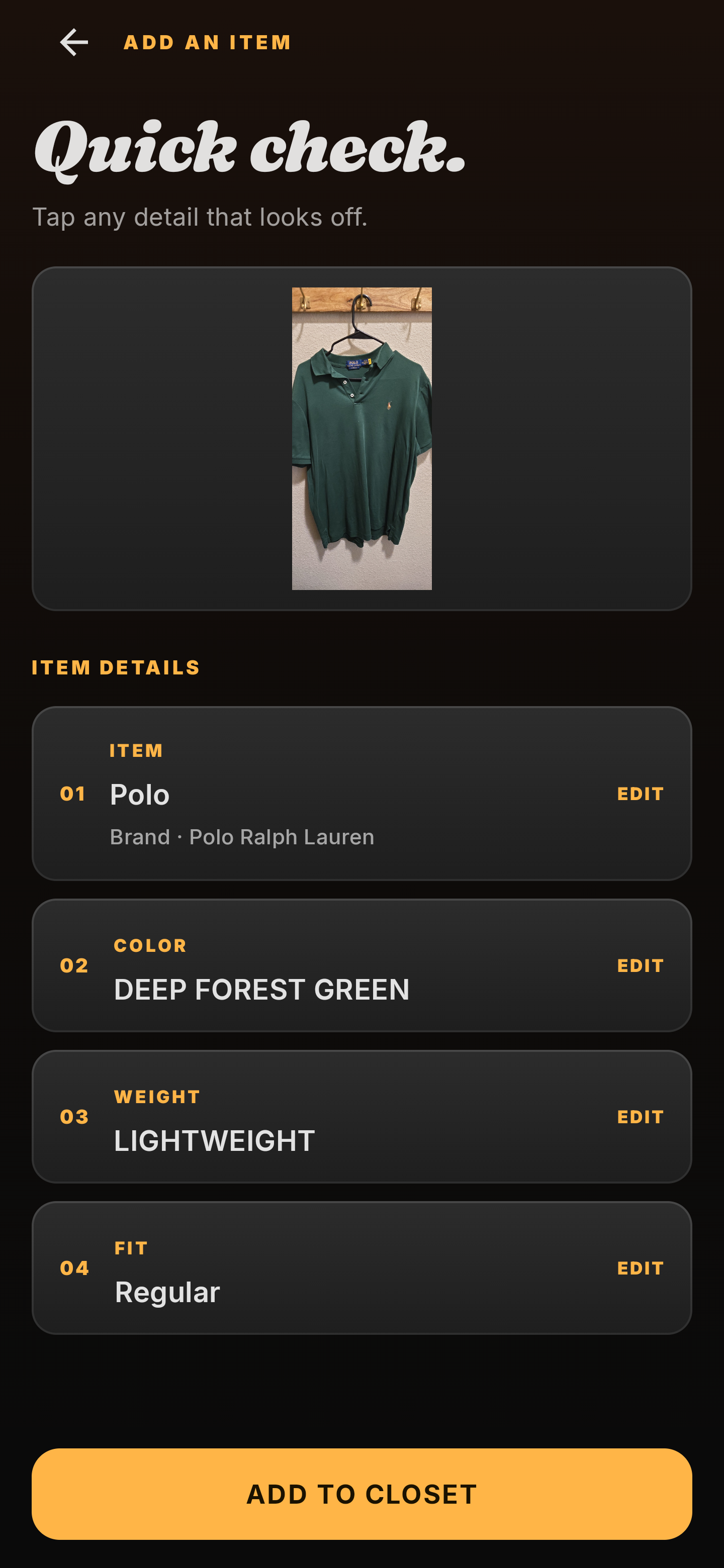
Snap the piece. CRISP suggests the item, color, weight, fit, and other useful details.
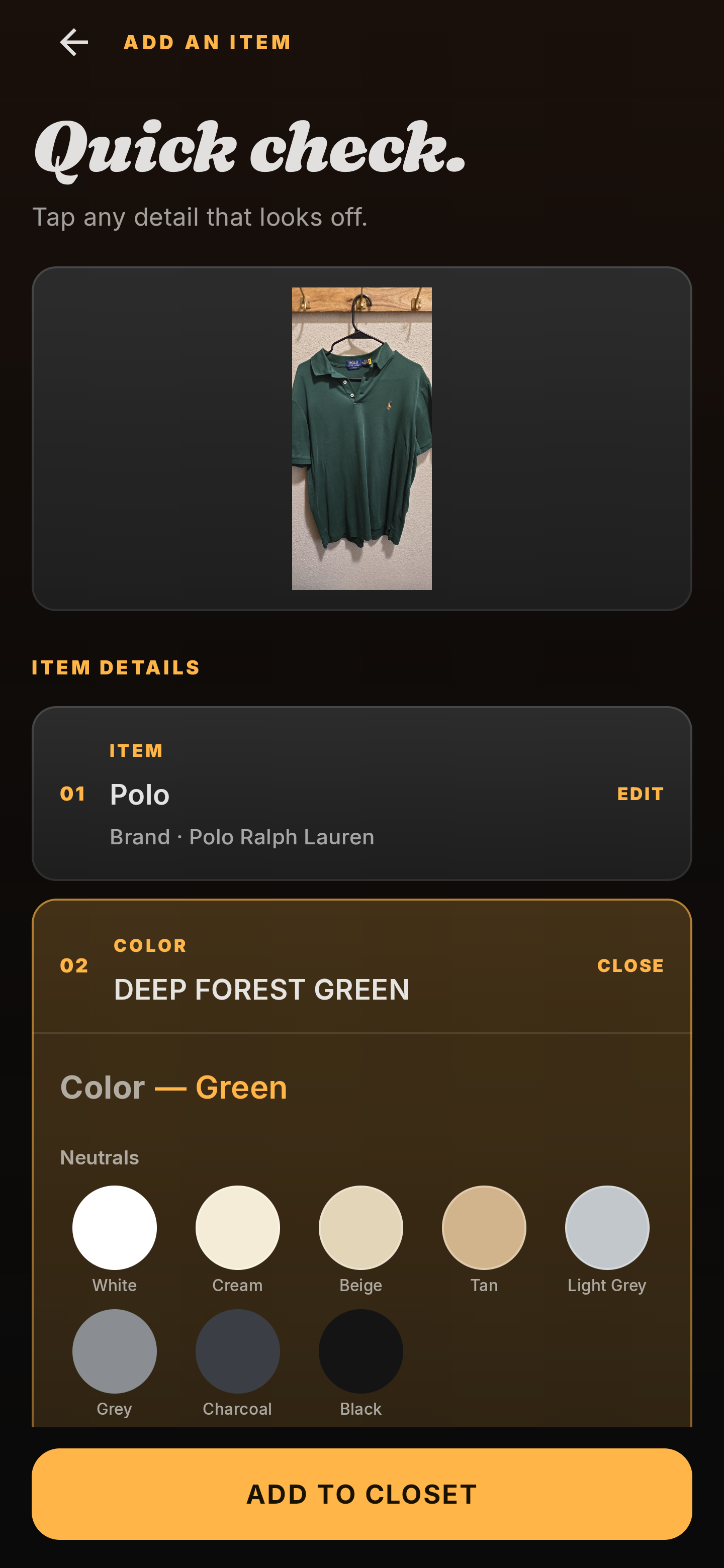
Change anything, tap Add to Closet, and the piece is in the rotation.
Made for real mornings
Pick where you're going. CRISP checks the weather, what's ready, and what you've worn lately—then gives you one solid look from your own closet.
Your morning
If nothing clean fits the plan, CRISP tells you straight.
Less second-guessingMore of what you ownFewer repeat outfits
Also in CRISP
Tap Rate Me
Open Rate Me and take or choose a clear full-outfit mirror photo. CRISP gives you a beta second opinion—GOOD TO GO or RETHINK—with a short reason in plain language.
Real Rate Me result
Tap Shop
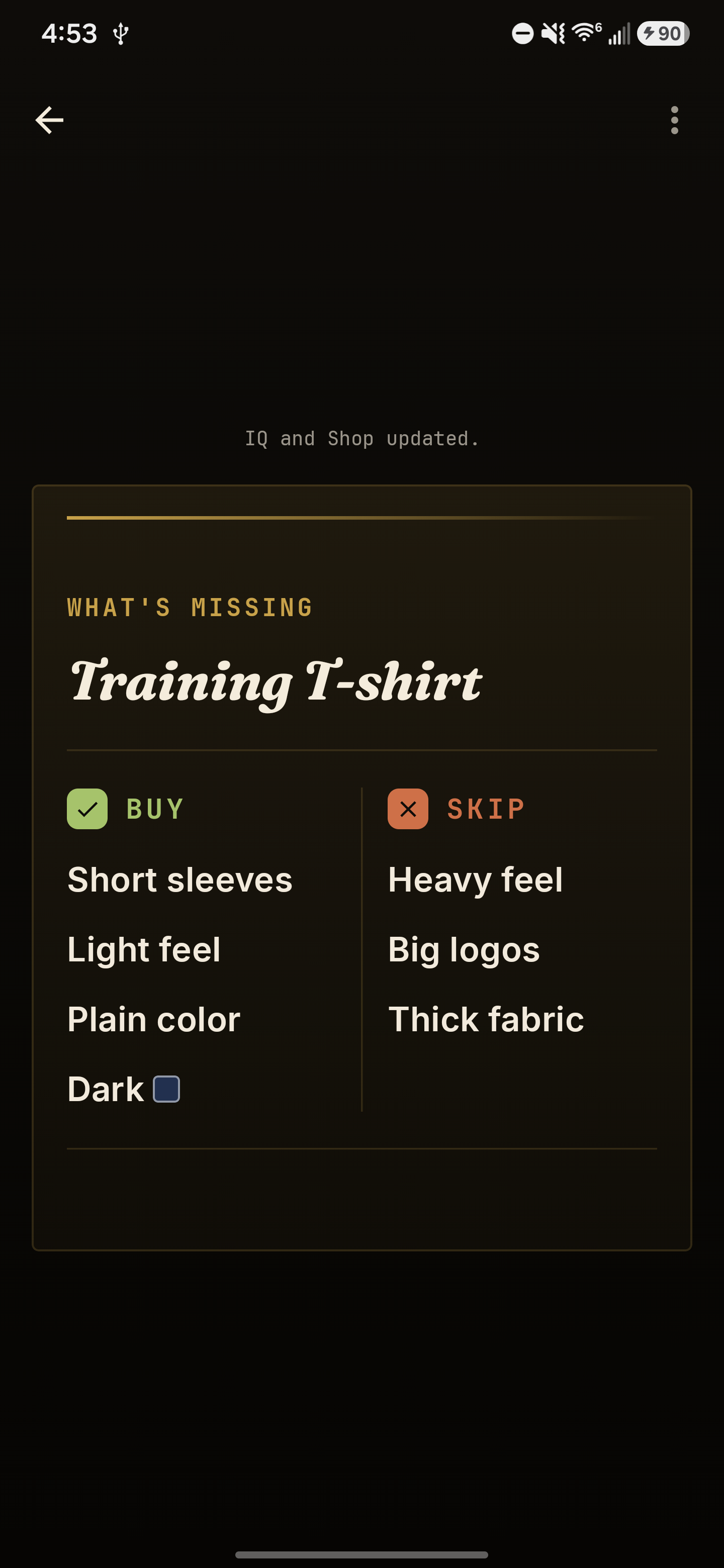
Shop identifies recurring gaps in your wardrobe and suggests what to look for—and what to skip—so anything new complements your style. When no gap is strong enough, it says, “Nothing worth buying yet.”
Real Shop example
Tap IQ
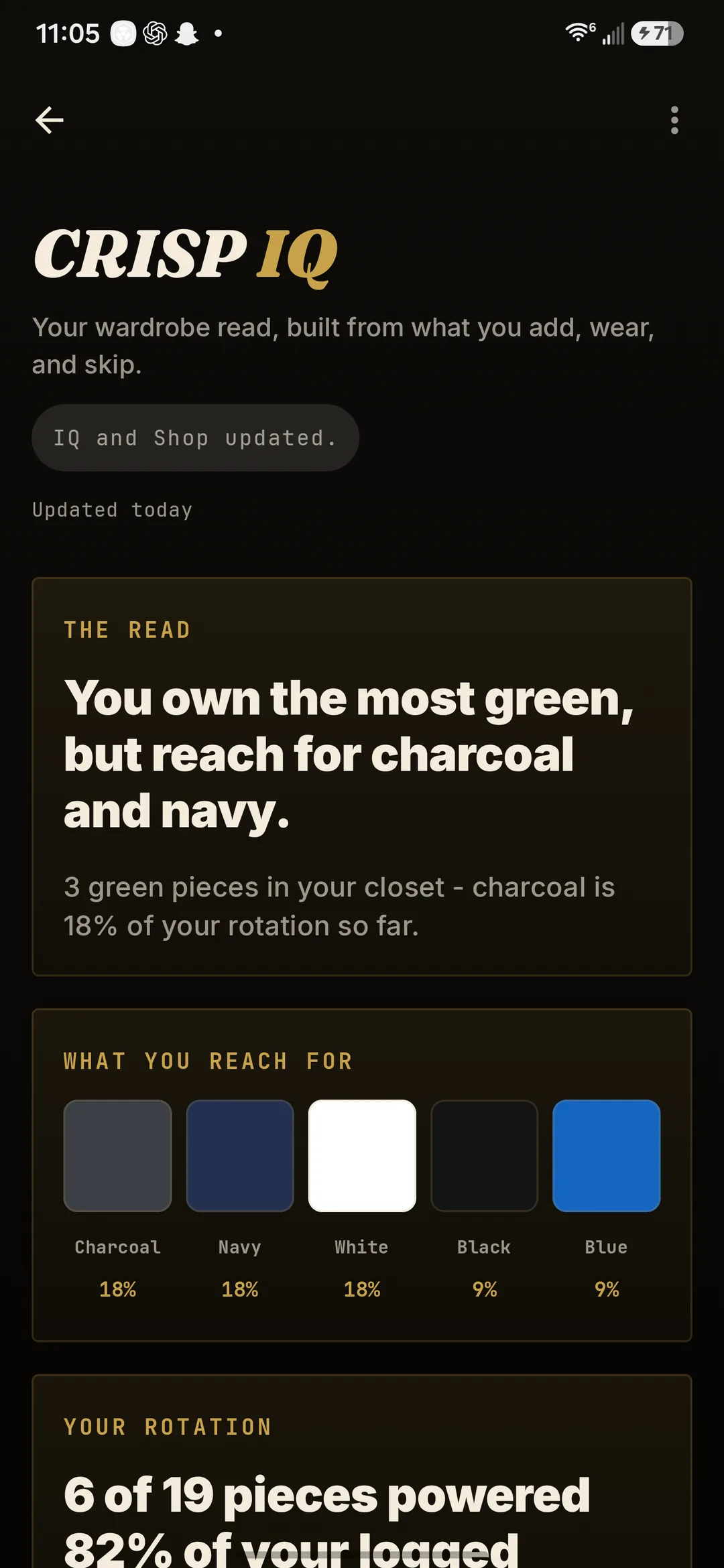
Open CRISP IQ to see how adding, wearing, and skipping turns into a plain-language read: what you reach for, what powers your week, and what just hangs there.
Real wardrobe read — nineteen pieces in, and it already sees the pattern.
Free early access · Android
Use it on real workdays, workouts, nights out, and ordinary mornings. Tell us what makes getting dressed easier.
Get early accessAllow up to 24 hours for approval. Wait for your approval email before downloading.
Two fields, ten seconds—nothing else to write. Requesting access also signs you up for occasional CRISP beta and launch updates; unsubscribe anytime. U.S. · Android 8.0+. Prefer email? hello@crisp-labs.aiThere is no charge while CRISP is in early access.
Early access is currently available on Android phones.
Allow up to 24 hours for approval. We will email you when your access is ready.
Why I built this
I’m not the kind of guy who wants to stand in front of the closet figuring out what to wear at 6AM. I had decent clothes, but I kept reaching for the same few things—or changing twice because I couldn’t decide. I didn’t want more options. I wanted something to look at what I owned, know where I was going, and just tell me what to put on.
That’s why I built CRISP. Tell it where you’re going, and it picks a look from your closet with a simple reason it works. Don’t like the suggestion? Tell CRISP what missed, and it uses that feedback for the next one.
Questions, answered
Normal guys who just want help getting ready every day—no fashion background needed. CRISP builds the outfit from clothes you already own. Early access is currently on Android.
No. Start with enough clean pieces for one complete look; you do not need to catalog everything. Add more of your regular clothes whenever you want more options.
Your closet and mirror photos are stored in the app’s private storage on your phone. The 1.6.1 security update adds Google sign-in for invited access to AI and weather features. When CRISP reads an item or checks an outfit, that photo is processed by the services described in the privacy notice, and we never post or share your photos publicly. Removing an item removes its managed photo. Deleting your beta sign-in account leaves your local closet intact; the privacy notice explains how to delete your account and local data.
Full details in the privacy notice.
You are never stuck with a suggestion. Skip it with a reason—too casual, too warm, looks familiar—and the reason shapes the next look. Or press and hold any single piece to swap just that one and keep the rest.
CRISP remembers the outfits you wear, skip, or change, along with the situation and weather. One skip can shape the next suggestion, while repeated choices give it more evidence about your broader preferences. CRISP won’t assume the exact reason you disliked something unless you tell it.
No. Outfit ideas start with clothes you have added. Shop only calls out a gap when it keeps showing up—and it can tell you that nothing is worth buying yet.
Yes. There is no charge while CRISP is in early access. We will explain any future pricing before asking anyone to pay.
Not yet. Early access is currently for Android. You can still email us if you want to hear about later availability.
Allow up to 24 hours for approval. Wait for your approval email before downloading, then use the same Google account you requested with.
See what your closet can already do.